Folio
Your notes are already filed. Folio opens the drawer.
Point it at a folder of markdown. Browse it the way Finder does, write with the rendered page beside you, and every word stays a plain .md file on your own disk — no account, no cloud, no import.
---tags: [journal, review]---# Week 34A quiet week. Finally sat downwith last Monday's notes.$$ e^{i\pi} + 1 = 0 $$- [x] Back up ~/Notes- [ ] Reply to Hana- tags: journal
- tags: review
Week 34
A quiet week. Finally sat down with last Monday's notes.
eiπ + 1 = 0
- Done: Back up ~/Notes
- To do: Reply to Hana
Type on the left. Read the page on the right.
The editor is CodeMirror, with the rendered markdown beside it as you type. Drag the divider to give either side more room.
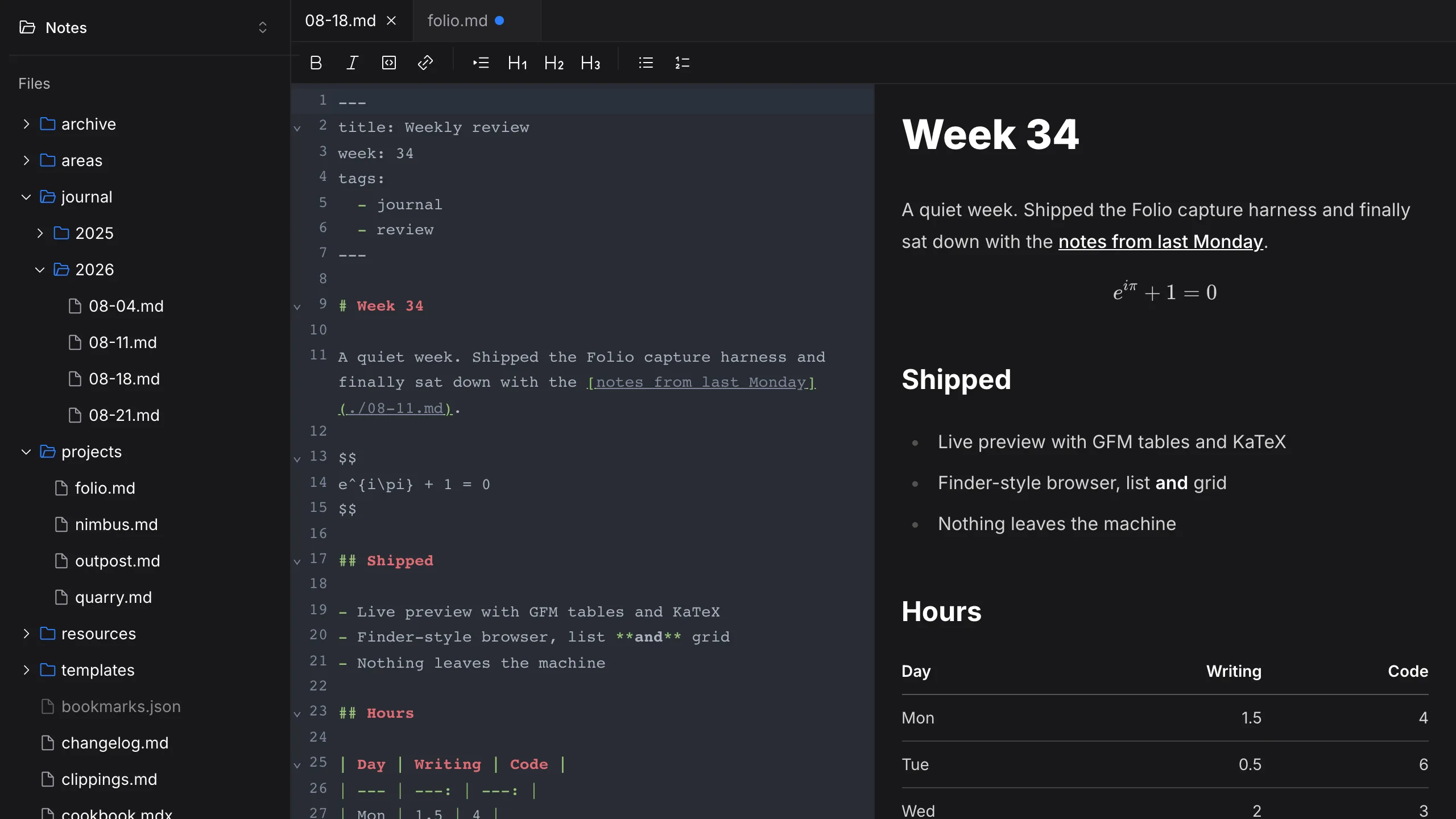
Tabs that know what's unsaved
Keep several files open. A dot marks one whose latest edit hasn't reached the disk yet.
Marks without memorising them
Bold, italic, code, link, quote, three heading levels and both kinds of list — each wraps whatever you've selected.
Frontmatter, read not printed
The YAML block at the top becomes badges above the page — or disappears entirely, if you'd rather.
Maths that works on a plane
Inline $ and display $$ render with KaTeX, which ships inside the app rather than loading from anywhere.
GitHub-flavoured, all of it
Tables, task lists, strikethrough and autolinks. The two panes scroll together, so the line you're on stays in view.
The folder is the filing system.
Folio doesn't keep a library of its own. It shows you the folder you picked, exactly as it is on disk, and gets out of the way.
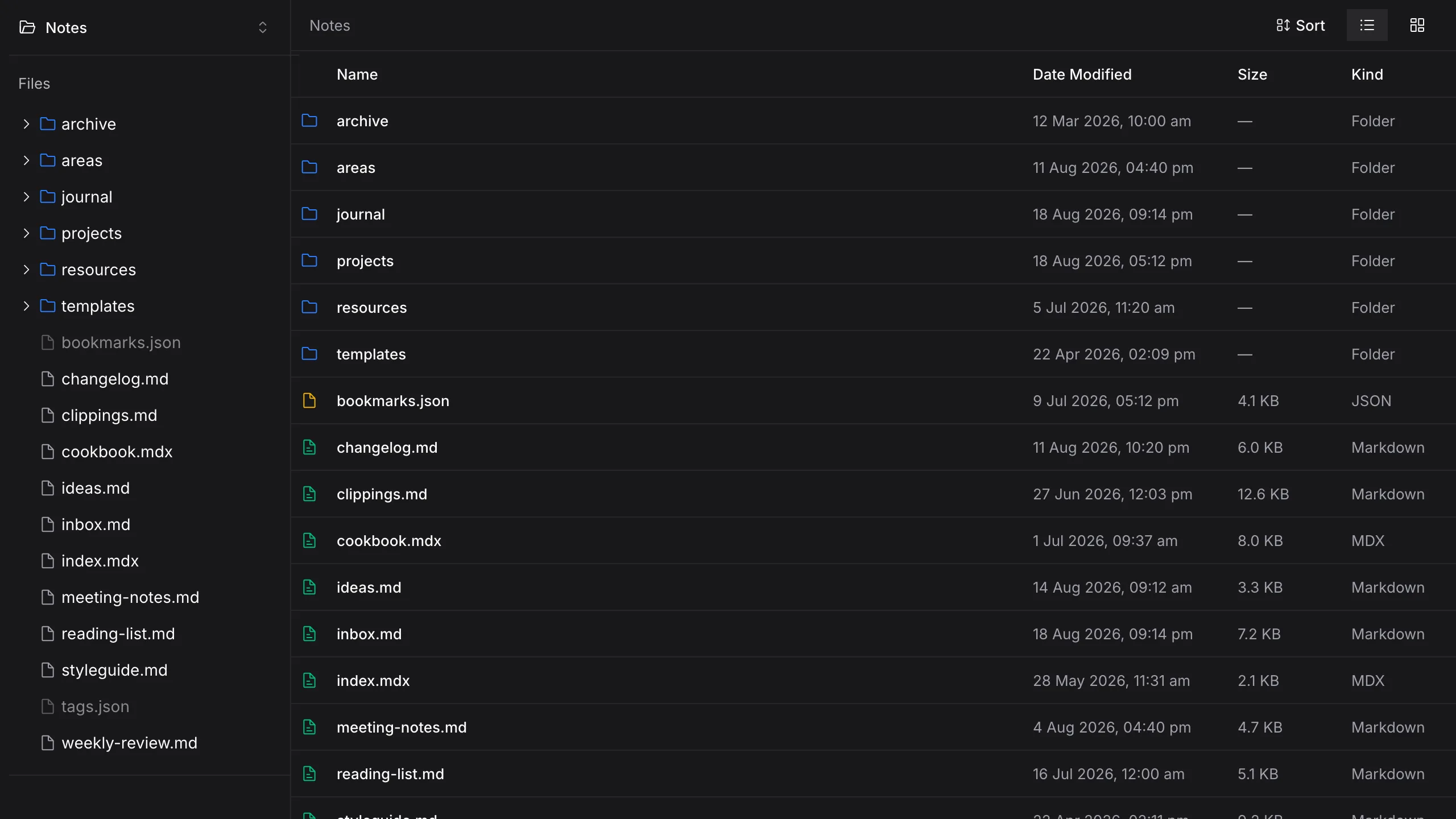
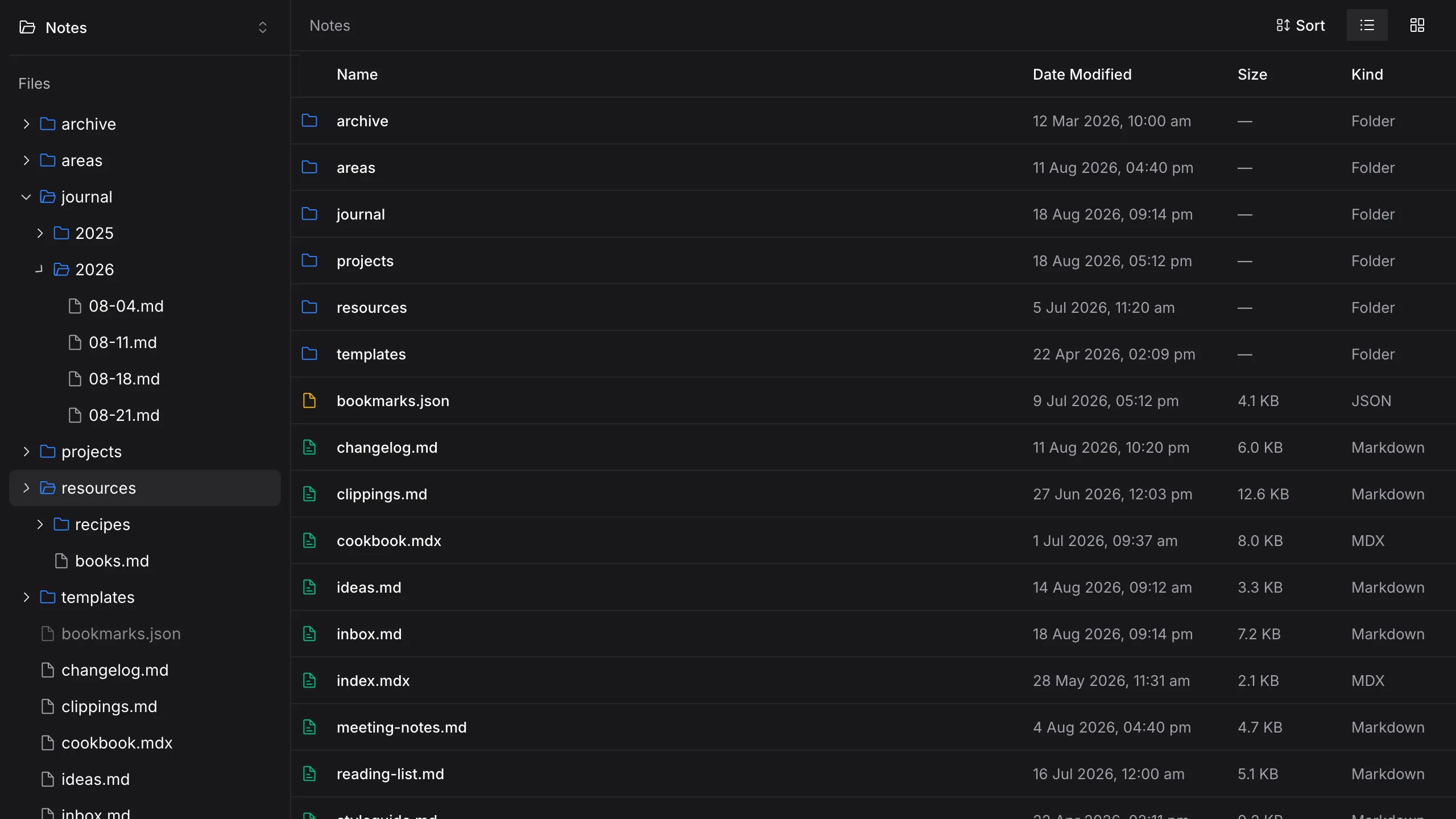
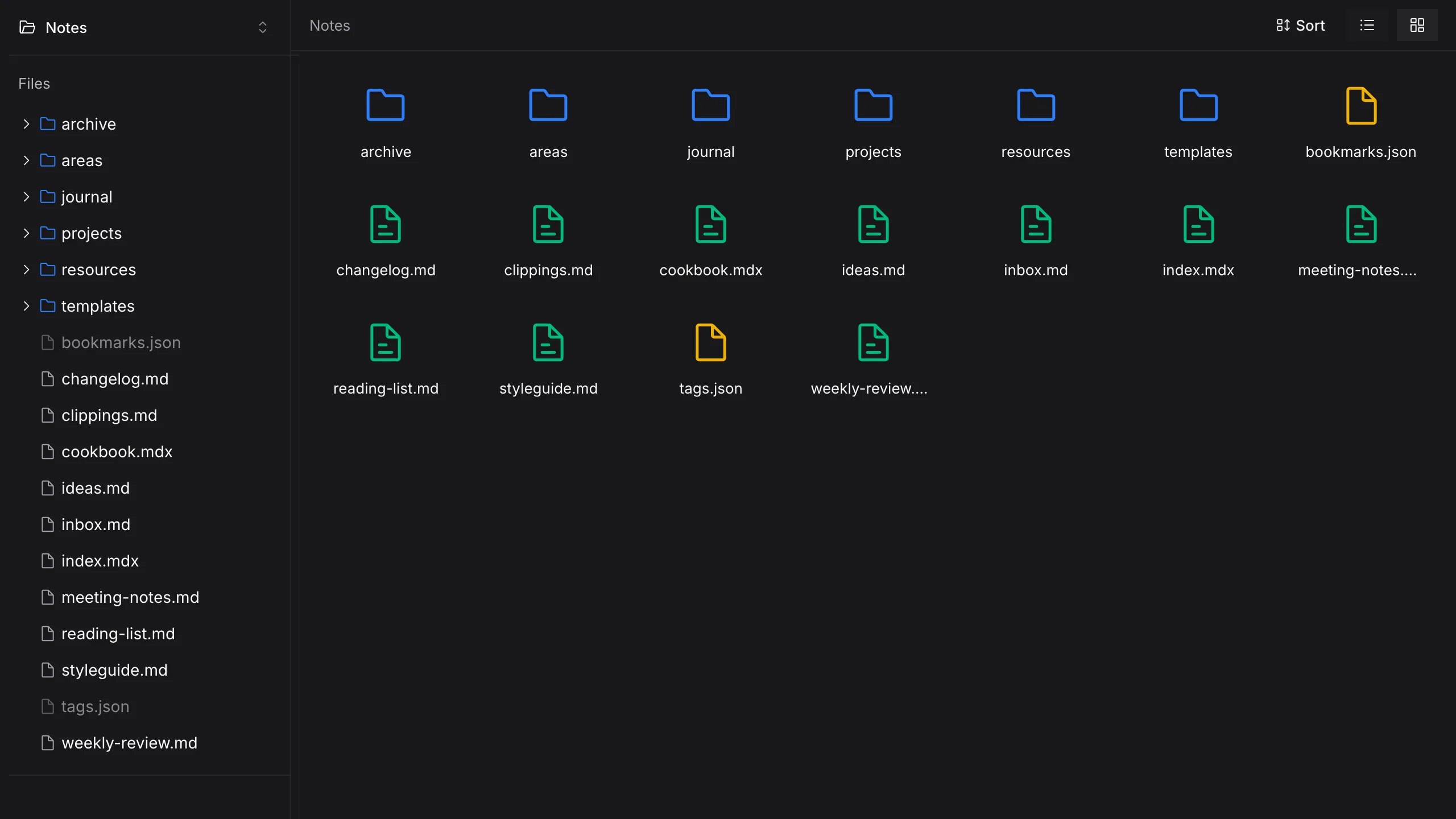
- List or grid
- Name, date modified, size and kind in columns — or the same folder as large icons.
- Sort five ways
- Name, date modified, date created, size or kind, either direction. Folders stay on top.
- The whole tree
- A sidebar tree that lists each folder only when you open it, plus breadcrumbs.
- Everyday filing
- New file, new folder, copy a path, reveal it in Finder or Explorer. Recent files one click away.
- More than one drawer
- Up to ten recent workspaces, each one renamable, to switch between work and home.
Nothing leaves the drawer.
Folio reads and writes your files straight from the disk. There is no server holding a copy, so there is nothing to export, migrate or lose when you stop using it.
Folio checks for its own updates, and release builds send anonymous usage events that name a screen — never a file, a folder, or a word you wrote.
- Location
- Any folder you choose
- Format
- Plain .md and .mdx text
- Account
- None
- Sync
- Yours — iCloud, Dropbox, git, or nothing
- Lock-in
- None. Quit, and the files are where they were.
Set the desk up once.
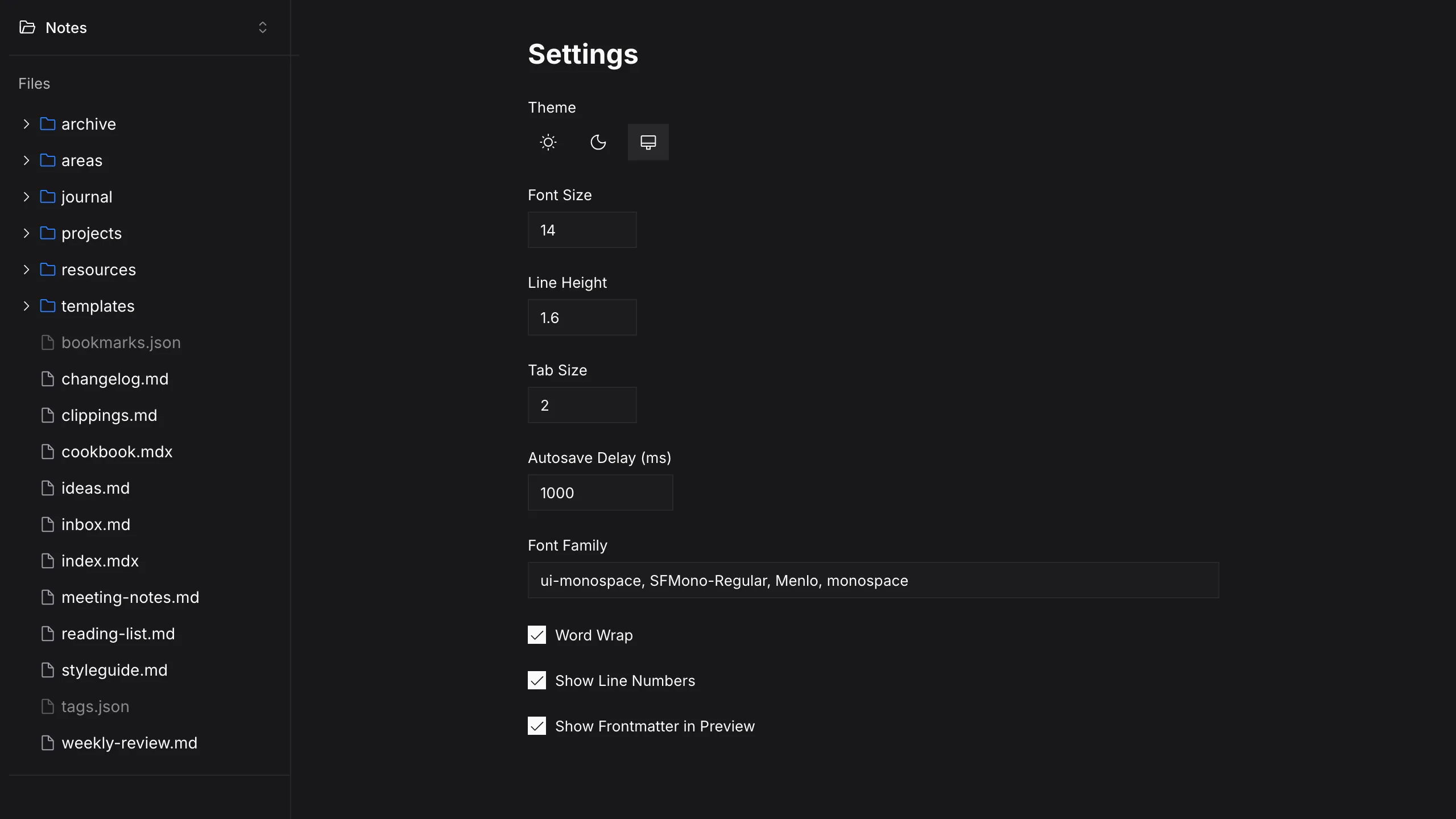
Font size, line height, tab size, word wrap, line numbers, a light, dark or system theme, how long autosave waits, and whether new folders open as a list or a grid.
At the keyboard
⌘ on Mac · Ctrl on Windows- ⌘ / CtrlS
- Save now. Otherwise autosave writes a second after you pause.
- ShiftShift
- Command palette: open a folder, the file browser, settings.
- ⌘ / CtrlF
- Find and replace in the open file.
- ⌘ / CtrlZ
- Undo, with a separate history for every file.
- Tab
- Indent a list item or a line.
Open a folder you already have.
Folio for macOS and Windows.