Nimbus
Every bucket, browsed like a folder.
A desktop browser for Amazon S3 and anything that speaks its API — Cloudflare R2, Backblaze B2, MinIO, your own endpoint. Open a bucket the way you open a drive: folders, thumbnails, a save panel. No web console, no command line, no account.
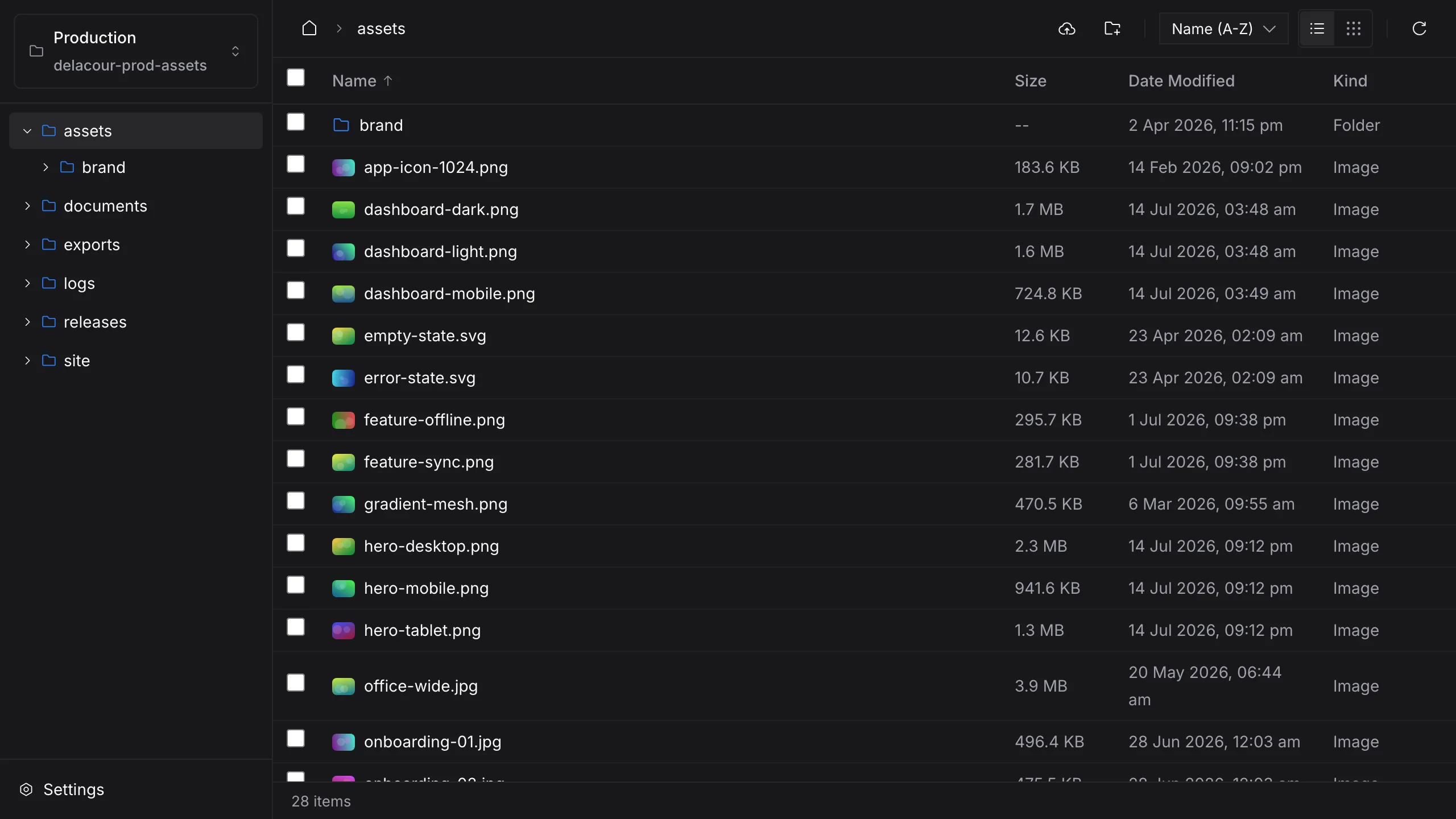
S3 has no folders. Nimbus reads the slashes.
A bucket is one long, flat list of keys. Nimbus splits each key at its slashes, draws the prefixes as folders, and fetches each level only when you open it — the tree you expected, from storage that never had one.
The key photos/2026/kaikoura/whale-tail.jpg in bucket media-archive, split at its slashes:
- Genusbucket
- media-archive
- Speciesfolder
- photos
- Varietyfolder
- 2026
- Varietyfolder
- kaikoura
- Specimenfile
- whale-tail.jpg
In the bucket this is one flat string. Nimbus asks for one level at a time, split on "/", and draws what comes back as folders.
As Nimbus shows it
- media-archive
- backups
- exports
- photos
- 2025
- 2026
- kaikoura
- coastline.jpg
- whale-tail.jpg(selected)
- readme.md
Everything a file browser does, pointed at a bucket.
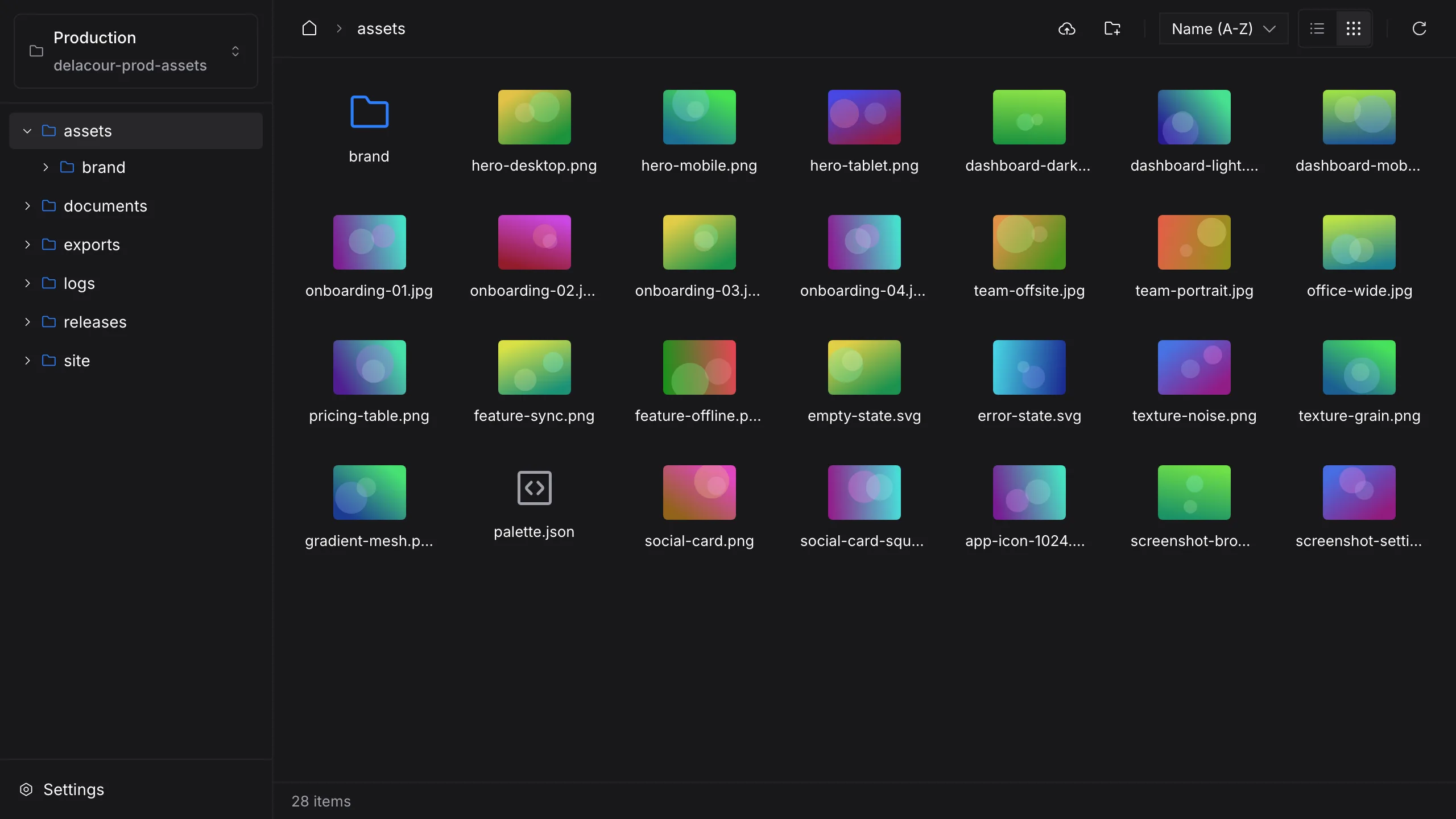
See it before you download it
Grid view draws images from short-lived presigned links, so you can tell what is in a folder without saving a single file.
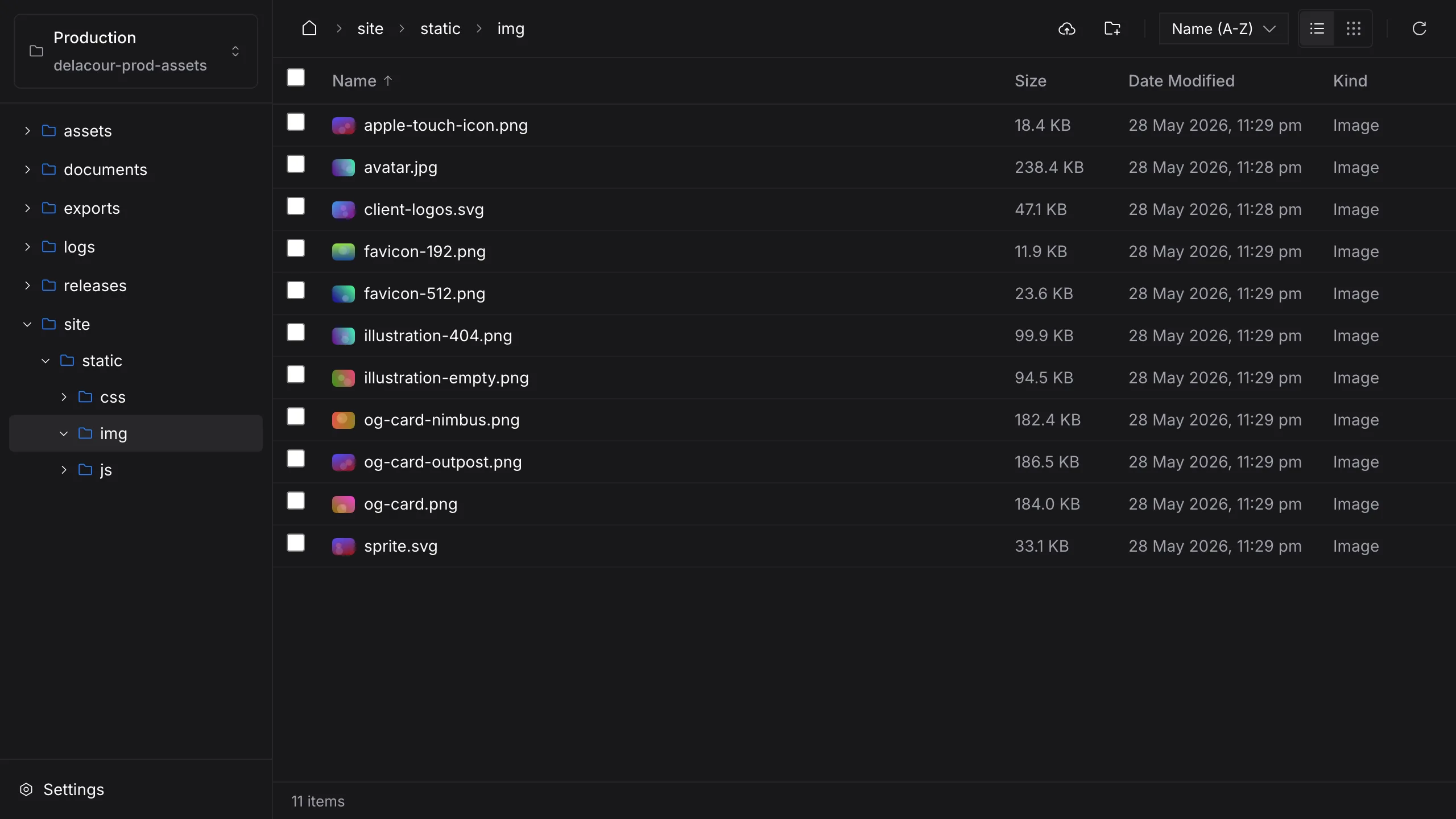
The whole tree, one level at a time
The sidebar opens as deep as the prefixes go and lists each level on first open. Every path is a URL, so a reload lands where you were.
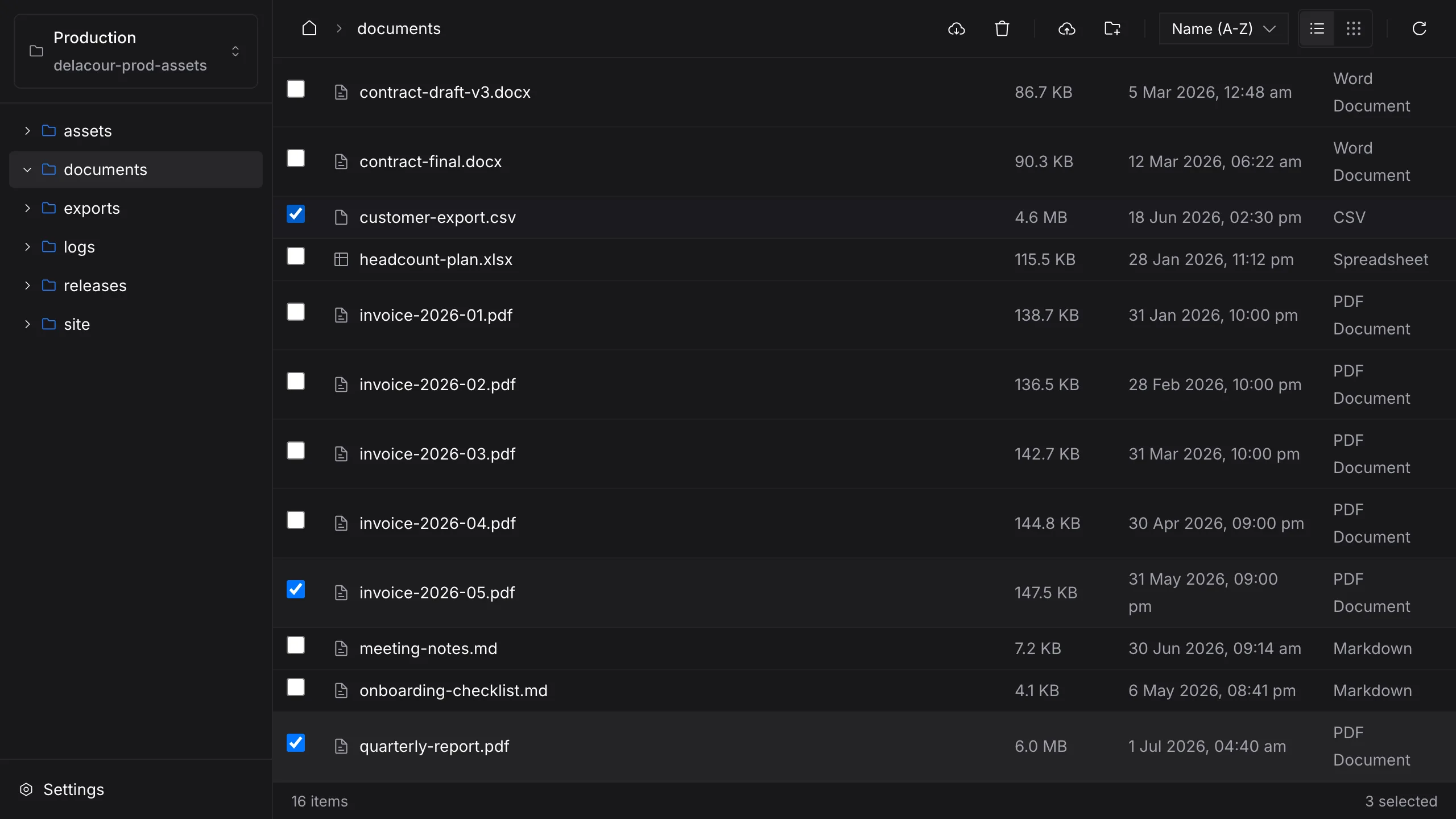
Gather several, act once
⌘-click or Ctrl-click to collect files, then save them through the native save panel or delete the lot in one go.
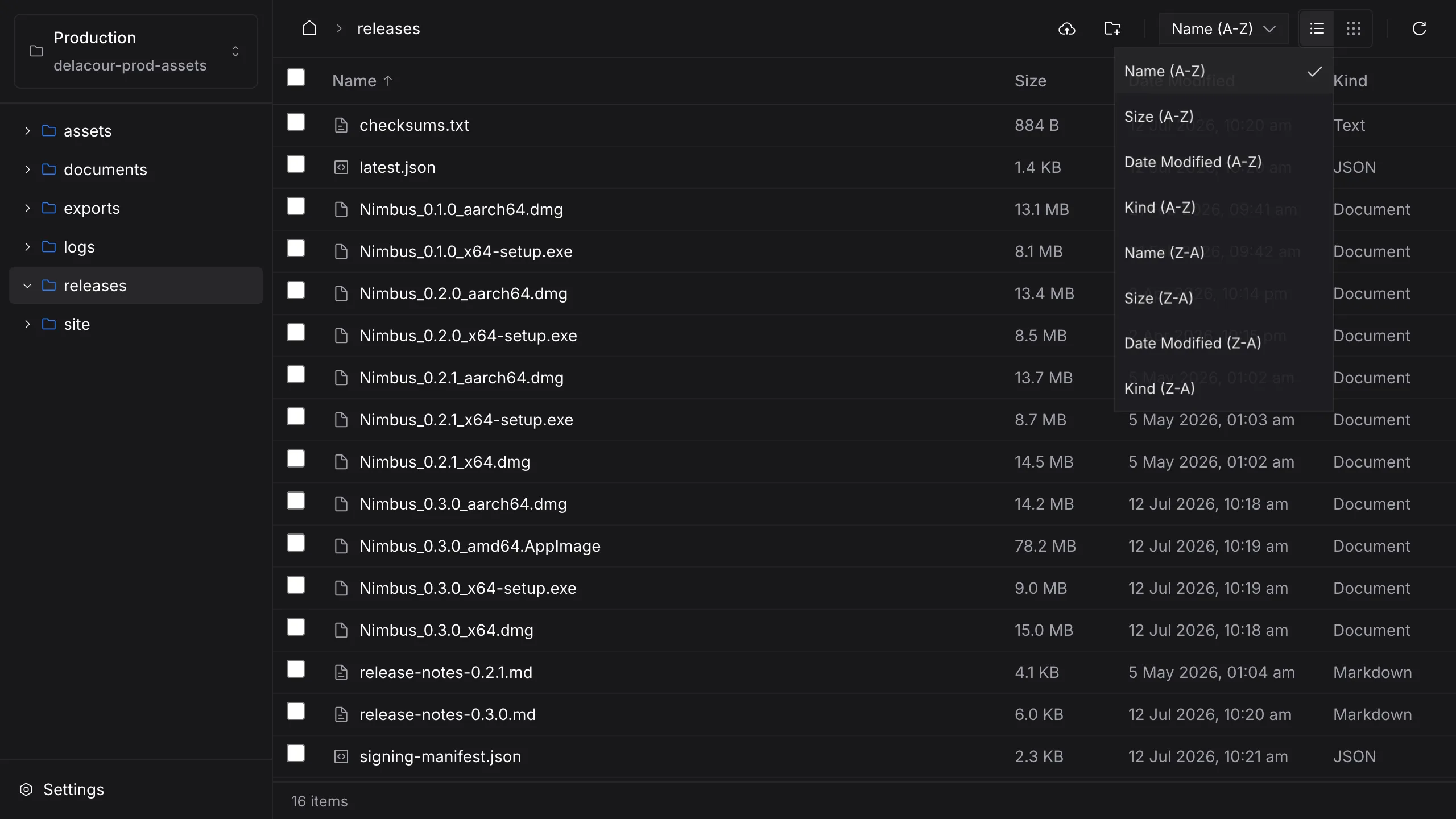
Sorted the way you think
Name, size, date or kind, either direction, as a list or a grid — and the choice survives a reload.
All your buckets, wherever they live.
Save a connection for every bucket you use and switch between them from the sidebar. Leave the endpoint empty for AWS; anything else is used as given, always path-style, so self-hosted gateways without wildcard DNS work too.
| Connection | Bucket | Region | Endpoint |
|---|---|---|---|
| ProductionCloudflare R2 | Bucket: prod-assets | Region: auto | Endpoint: https://<account>.r2.cloudflarestorage.com |
| Media archiveAmazon S3 | Bucket: media-archive | Region: ap-southeast-2 | Endpoint: — (AWS picks its own) |
| Offsite backupsBackblaze B2 | Bucket: offsite-backups | Region: us-west-002 | Endpoint: https://s3.us-west-002.backblazeb2.com |
| Local MinIOMinIO | Bucket: release-builds | Region: us-east-1 | Endpoint: http://localhost:9000 |
Paste a .env. Get a connection.
Drop your environment file into the form and Nimbus fills in all five fields, then checks the keys against the bucket before it saves anything.
S3_BUCKET=offsite-backupsfills BucketS3_REGION=us-west-002fills RegionS3_ENDPOINT=https://s3.us-west-002.backblazeb2.comfills EndpointS3_ACCESS_KEY_ID=••••••••••••fills Access keyS3_SECRET_ACCESS_KEY=••••••••••••••••••••fills Secret key
Keys go to the keychain. Nowhere else.
Access keys are stored in macOS Keychain or Windows Credential Manager, never in Nimbus's settings file, and never handed back to the interface once saved. Requests are signed in the app's native core and go straight to your endpoint — there is no Nimbus account and no Nimbus server in between.
{
  "activeCredentialId": "c4f1…",
  "credentials": [{
    "id": "c4f1…",
    "label": "Offsite backups",
    "bucket": "offsite-backups",
    "endpoint": "https://s3.us-west-002…",
    "region": "us-west-002"
  }]
}- service
- nz.co.delacour.nimbus
- account
- c4f1…
- secret
- stored, never shown